
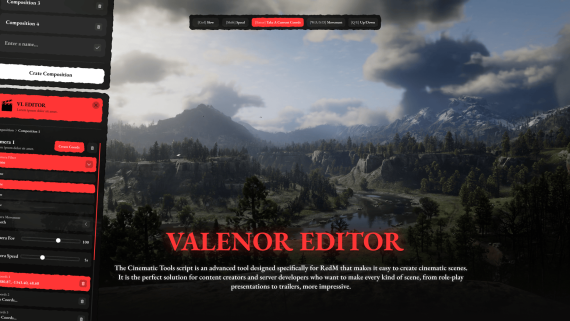
🎬 Cinematic Tools for RedM
📘 Introduction
The Cinematic Tools script is an advanced tool designed specifically for RedM that makes it easy to create cinematic scenes. It is the perfect solution for content creators and server developers who want to make every kind of scene, from role-play presentations to trailers, more impressive.
Equipped with comprehensive camera control, screen effects, transition modes, and classic cinema lines, this system transforms in-game visuals into cinema-quality scenes. Its easy-to-use structure saves time for both developers and directors.
✨ Features
🎥 FreeCam System
Direct scenes as you wish with full free camera control and adjust settings in real time.
**🎬 Transition Effects **
Create smooth or dramatic transitions between scenes with fade in/out, quick cuts, cinematic transitions, and more.
** 🖥️ Screen Effects **
Recreate the atmosphere with color filters, blur, light flares, and cinematic effects that change the mood of the scene.
**📽️ Cinematic Mode (Black Bars) **
Get that real cinema feel with black bars (letterbox) at the top and bottom. Disable the in-game HUD to keep the audience focused.
[Tags: Standalone]
[CarouselImage: https://files.catbox.moe/be4pth.png ]
[Images: https://files.catbox.moe/fd8mt6.png ]
[Recommended Products]
[Youtube: ]
[Onesync: true]
[Server: Artifacts +1700]
[Images: resim1, resim2, ...]
[Requirements: oxmysql]
[Frameworks: Standalone]